The Cockpit.

brainplane 0.4.2 runs your agent CLIs inside the app: real terminals that live in their own process, workspaces and worktrees, Claude Code and Codex at Full control with the guard on, and what needs you, on 1 screen. It keeps brainplane's brain: topics, the Inbox, receipts and voice.

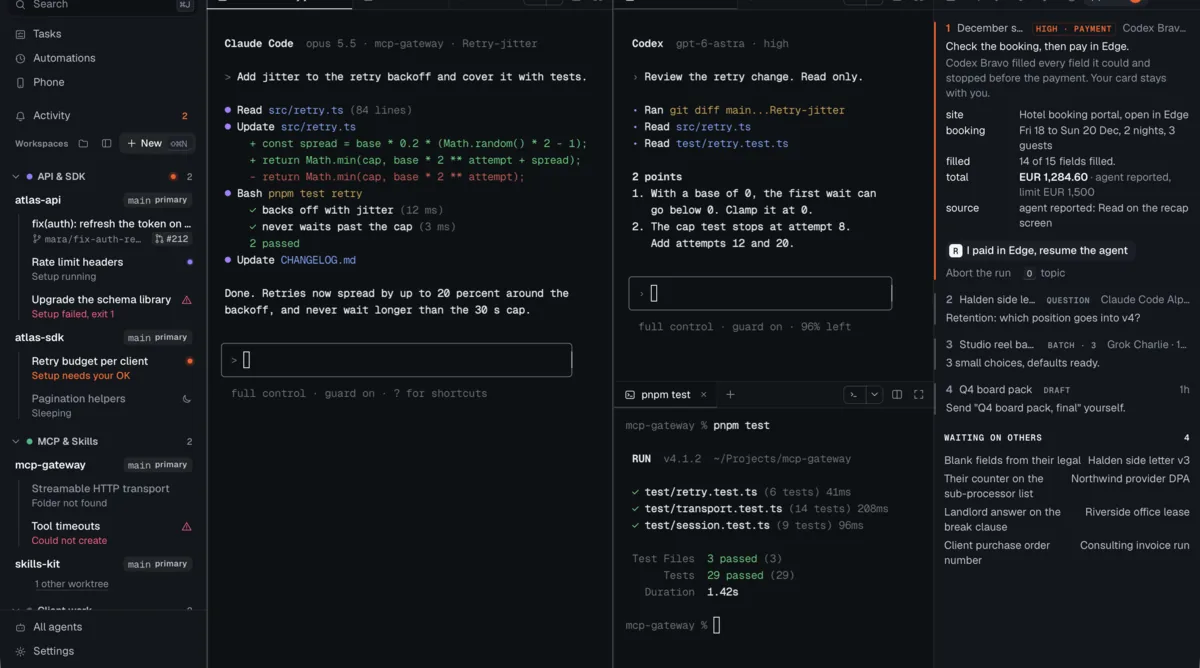
The brainplane Cockpit with demo data: workspaces in the sidebar with each agent's state, Claude Code adding jitter to a retry backoff in a real terminal, Codex reviewing the change in a split, 29 tests passing below, and You on the right with 4 cards that need you, a payment first.

The screen of brainplane 0.4.0 with demo data. The terminals are real; the agents in them are stand-ins that print a fictional session. Under each part below, where its test ran.

  • Terminals that outlive the window.

    Every terminal runs in brainplane-ptyd, a process of its own on your Mac. Quit the app and your agents keep working. After a Mac restart, each terminal comes back with its scrollback, ready for a new shell.

    Tested: A real Mac: the signed 0.4.0 candidate's own window (builds 1041 to 1047, Developer ID), real Claude Code and Codex in a scratch worktree, the bundle's daemon code in a host process on a scratch store.

    Read the docs
  • Workspaces and worktrees.

    Work in a repo checkout, in a new git worktree per task, or in a topic folder for business work. The branch and the folder show before you press Create, and setup scripts wait for your OK.

    Tested: A real Mac: the signed 0.4.0 candidate's own window (builds 1041 to 1047, Developer ID), real Claude Code and Codex in a scratch worktree, the bundle's daemon code in a host process on a scratch store.

    Read the docs
  • Who needs you, at a glance.

    Each session has 1 of 8 states, read from the agent's own hooks first, then from its terminal. The sidebar, Activity and the status bar show who works, who waits on you and who failed. Questions land in the Inbox.

    Tested: A real Mac with Codex in a temp home; browser journeys on the demo seed.

    Read the docs

Usage, and 1 press to continue.

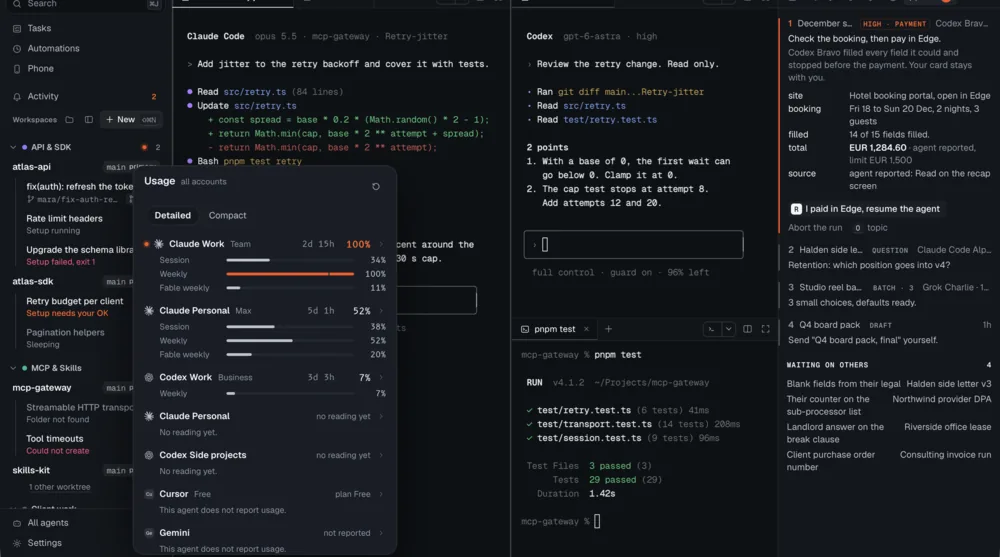
See the usage of every Claude Code and Codex account, worst first, from their own sources. When an account hits its limit, Continue moves the waiting work to Codex with the topic pack, and the session picks up after the reset.

Tested: A real Mac: the signed 0.4.0 candidate's own window (builds 1041 to 1047, Developer ID), real Claude Code and Codex in a scratch worktree, the bundle's daemon code in a host process on a scratch store.

Read the docs
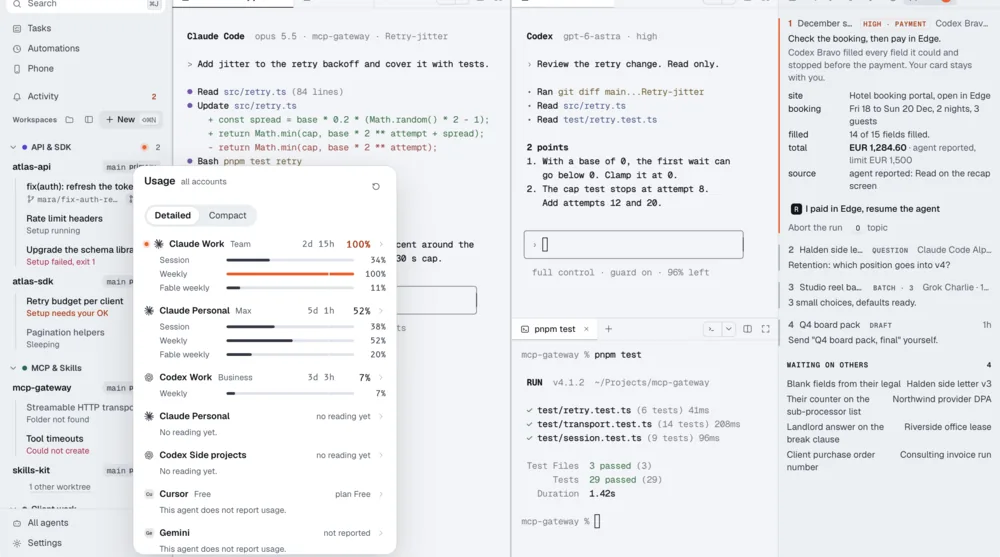
The Usage popover over the Cockpit: Claude Work at 100 percent of its weekly window with 2 days 15 hours to reset, Claude Personal at 52 percent, Codex Work at 7 percent, and Cursor and Gemini rows that say they do not report usage.The Usage popover over the Cockpit: Claude Work at 100 percent of its weekly window with 2 days 15 hours to reset, Claude Personal at 52 percent, Codex Work at 7 percent, and Cursor and Gemini rows that say they do not report usage.

Continue in another agent.

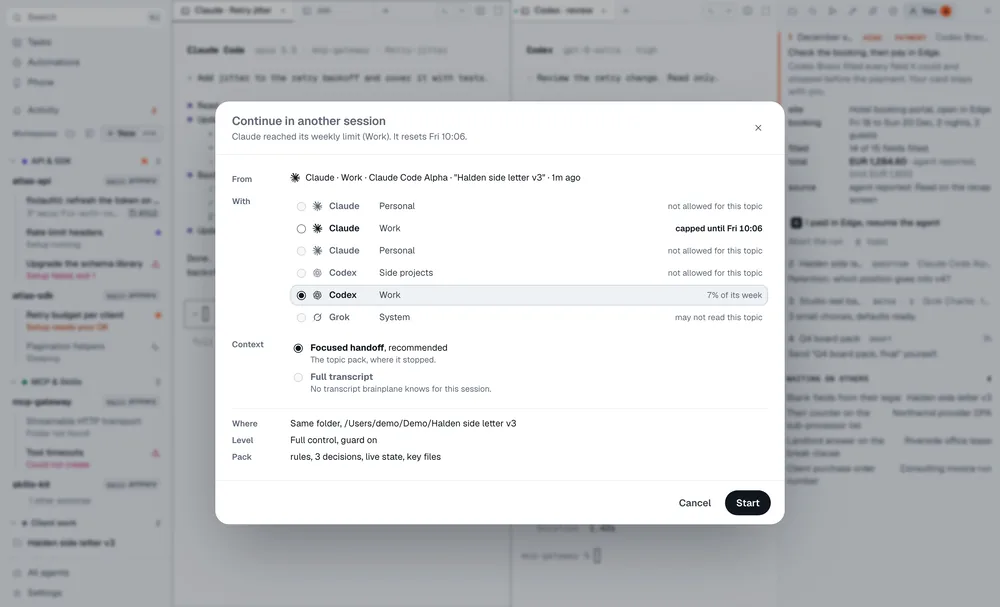
A capped session offers the next account the topic allows. The handoff carries the topic pack and where the work stopped, at the same level, with the guard on.

Tested: A real Mac: the signed 0.4.0 candidate's own window (builds 1041 to 1047, Developer ID), real Claude Code and Codex in a scratch worktree, the bundle's daemon code in a host process on a scratch store.

Read the docs
Continue in another session: Claude reached its weekly limit. Codex Work is picked, a focused handoff with the topic pack is recommended, in the same folder at Full control with the guard on.Continue in another session: Claude reached its weekly limit. Codex Work is picked, a focused handoff with the topic pack is recommended, in the same folder at Full control with the guard on.

A chat view of each session.

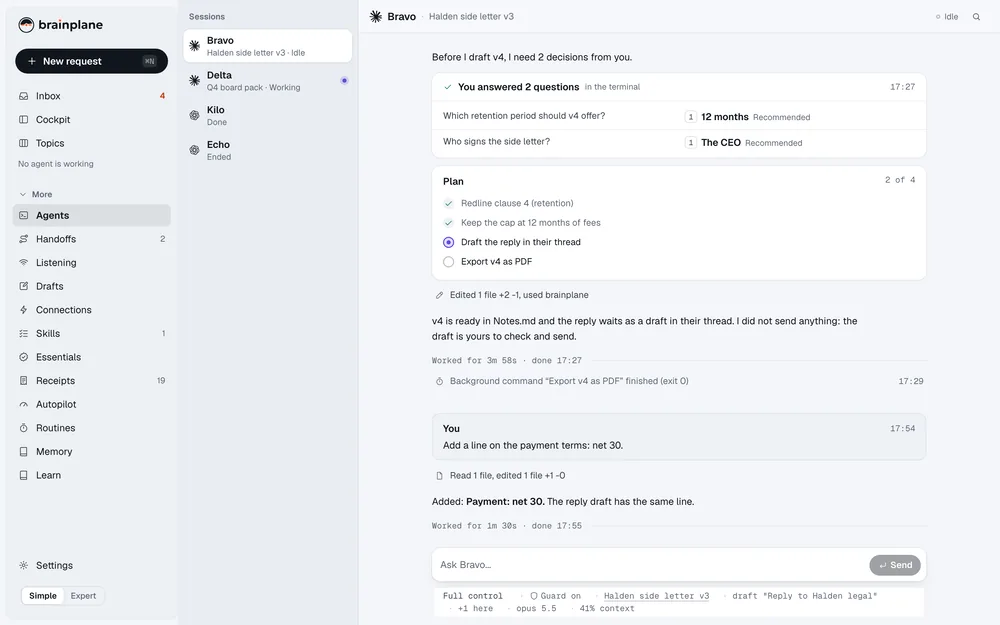
Read a Claude Code or Codex session as a conversation: its words, 1 line per batch of tools, the answers you gave. The composer types into the terminal only when the agent is the program in front.

Tested: A real Mac: the signed 0.4.0 candidate's own window (builds 1041 to 1047, Developer ID), real Claude Code and Codex in a scratch worktree, the bundle's daemon code in a host process on a scratch store.

Read the docs
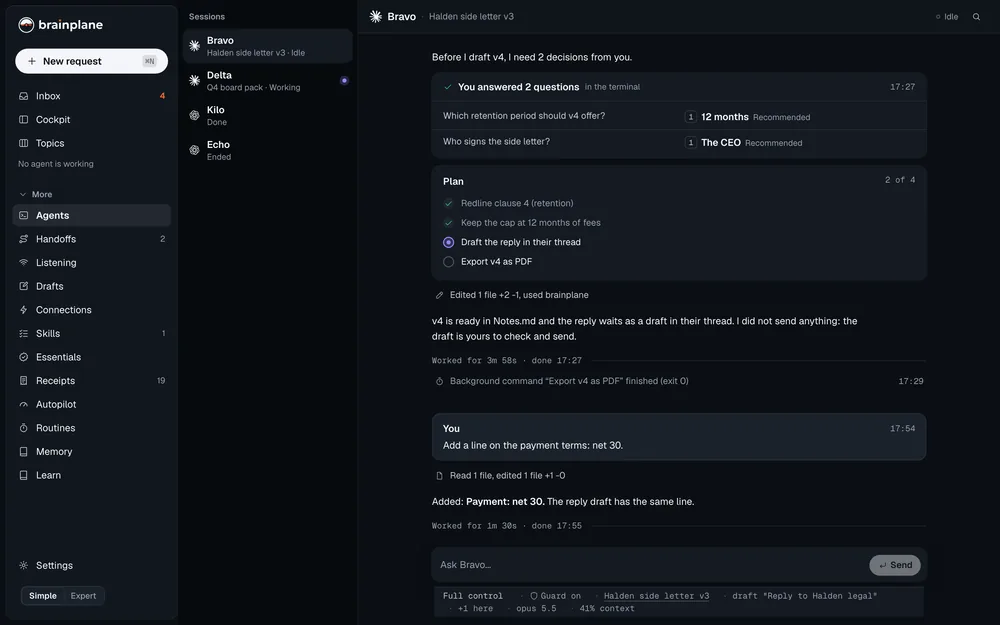
The chat view of Bravo on the Halden side letter: 2 questions answered in the terminal, a plan at 2 of 4, the note that the reply waits as a draft, and a footer with Full control, Guard on and 41 percent context.The chat view of Bravo on the Halden side letter: 2 questions answered in the terminal, a plan at 2 of 4, the note that the reply waits as a draft, and a footer with Full control, Guard on and 41 percent context.

Review and diffs.

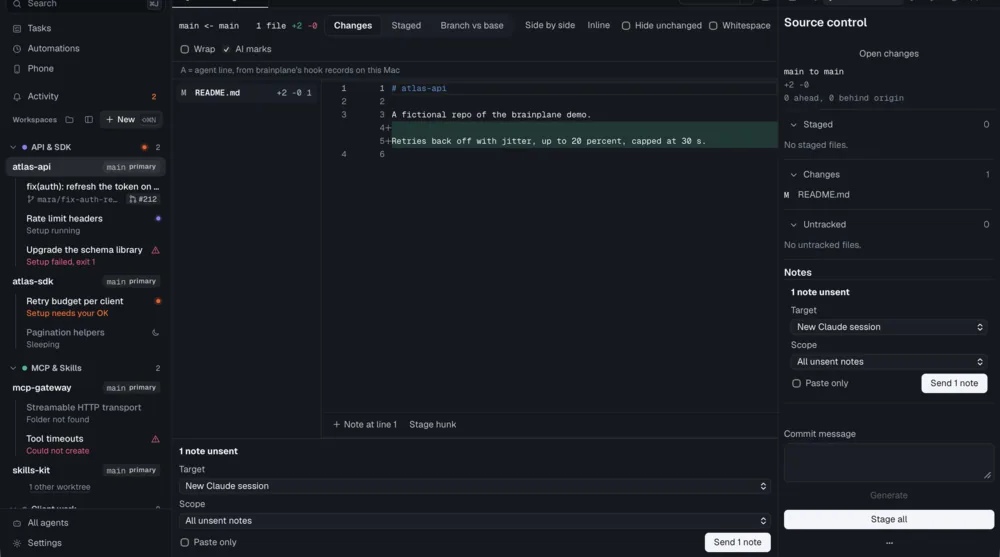
Read the diff of a workspace side by side or inline. Leave a note on a line and send your notes to the agent. Stage, commit, open the pull request and read its checks from the same panel.

Tested: A real Mac: the signed 0.4.0 candidate's own window (builds 1041 to 1047, Developer ID), real Claude Code and Codex in a scratch worktree, the bundle's daemon code in a host process on a scratch store.

Read the docs
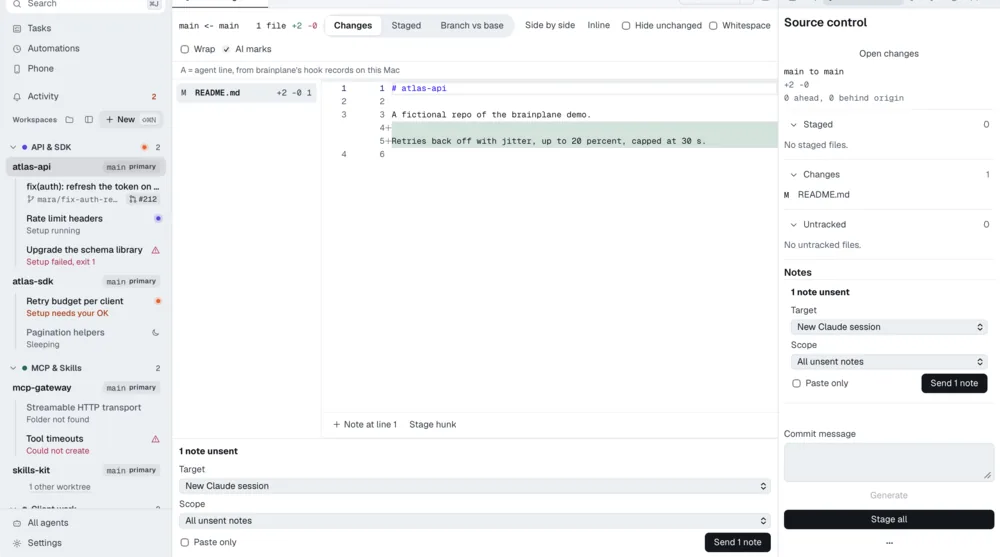
A diff of README.md in the fictional atlas-api repo with 2 lines added, a note saved on the file, and Source control on the right with 1 note unsent and a Send 1 note button.A diff of README.md in the fictional atlas-api repo with 2 lines added, a note saved on the file, and Source control on the right with 1 note unsent and a Send 1 note button.

Files and viewers.

A file tree and an editor, with Markdown, PDF, images, CSV, Word and HTML previews. In a topic folder, a save keeps the old version in _old/ first.

Tested: A real Mac: the signed 0.4.0 candidate's own window (builds 1041 to 1047, Developer ID), real Claude Code and Codex in a scratch worktree, the bundle's daemon code in a host process on a scratch store.

Read the docs
The Files panel of the atlas-api workspace and README.md open in a tab with its Markdown preview.The Files panel of the atlas-api workspace and README.md open in a tab with its Markdown preview.

A browser with Design Mode.

Each workspace gets a browser with its own profile, its dev servers 1 click away. Design Mode picks elements on the page and sends them to an agent. Agents do their own browsing in browser lanes you can watch.

Tested: A real Mac: the signed 0.4.0 candidate's own window (builds 1041 to 1047, Developer ID), real Claude Code and Codex in a scratch worktree, the bundle's daemon code in a host process on a scratch store.

Read the docs
A new browser tab in the Cockpit: 3 dev servers of the workspace, recent pages of the fictional Lumen Studio app, the Design button in the address bar and the shortcut for Design Mode.A new browser tab in the Cockpit: 3 dev servers of the workspace, recent pages of the fictional Lumen Studio app, the Design button in the address bar and the shortcut for Design Mode.

Full control, with the guard on.

Claude Code and Codex start at Full control, their folder trust answered for you. brainplane's guard still holds: Claude Code asks you before a send, Codex's sends are refused, and neither can pay, delete outside its workspace or deploy. Agents with no proven guard start at Ask me and say Guard off. An agent at Full control runs as you: the guard is no sandbox.

Tested: A real Mac: the signed 0.4.0 candidate's own window (builds 1041 to 1047, Developer ID), real Claude Code and Codex in a scratch worktree, the bundle's daemon code in a host process on a scratch store.

Read the docs
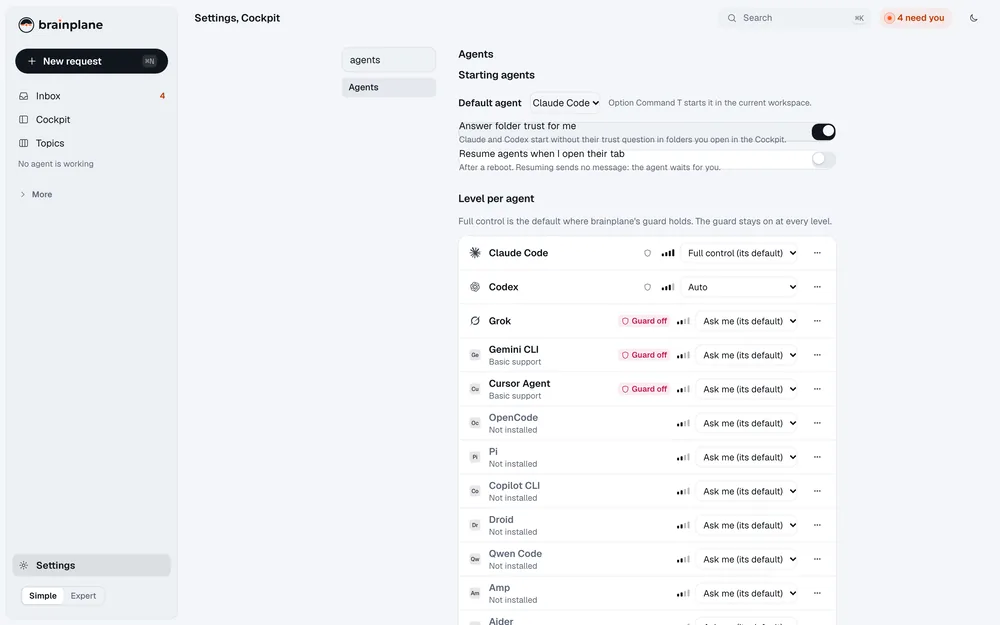
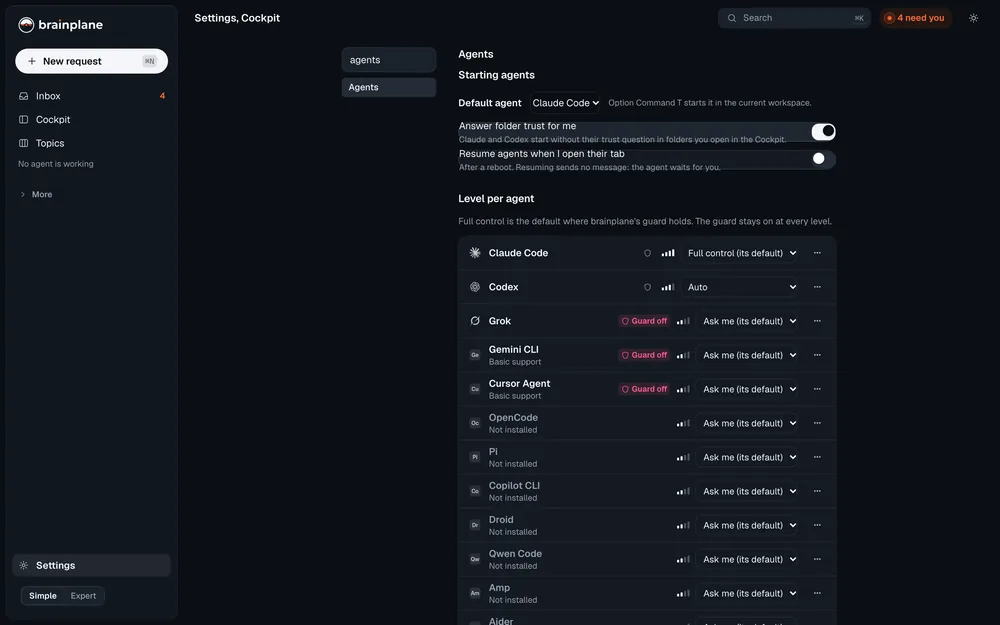
Settings, Agents in the Cockpit: Claude Code at Full control, its default, Codex at Auto, and Grok, Gemini CLI and Cursor Agent at Ask me with a Guard off label. Above, the switch that answers folder trust for Claude and Codex.Settings, Agents in the Cockpit: Claude Code at Full control, its default, Codex at Auto, and Grok, Gemini CLI and Cursor Agent at Ask me with a Guard off label. Above, the switch that answers folder trust for Claude and Codex.
  • bp for your agents.

    Agents call bp to list sessions, read your notes and wait on each other. Typing into another agent's session takes a grant you pressed.

    Tested: CLI and daemon tests in temp homes; live: bp's runtime listed a real Codex session (cockpit-seams).

    Read the docs

What the Cockpit shares with the rest of brainplane.

1 brain per topic
Each session belongs to a topic. Its pack carries the goal, where things stand and what you decided, so the next agent starts warm.
1 Inbox
Questions, stops and finished work from every agent arrive as cards, most urgent first, 1 key to answer.
Receipts and undo
Every answer holds 2 s so you can take it back, then leaves a receipt. Steps that can be reversed keep an Undo.
The guard
At every level, Full control included: Claude Code asks you before a send, Codex's sends are refused, and neither can pay, delete outside its workspace or deploy.
Voice
Call an agent by its name and ask out loud. Speech can run on your Mac.

Current limits.

  • An agent at Full control runs as you on your Mac. Claude Code asks before sends, Codex refuses sends, and both refuse payments, deletes outside the workspace and deploys; the guard is no sandbox.
  • Grok, Gemini CLI, Cursor and the other basic agents have no proven guard: they start at Ask me and say Guard off.
  • The chat view reads Claude Code and Codex. Grok, Gemini CLI and Cursor sessions stay in their terminal.
  • Usage readings cover Claude Code and Codex. Cursor shows its plan; Gemini CLI and Grok do not report usage.
  • Agents never drive the browser tab you see. They work in their own browser lanes.

The Cockpit next to another agent IDE, row by row, with a source for every cell: see the comparison.

Try it on your Mac.

14 days free with every feature. Email only, no card.